
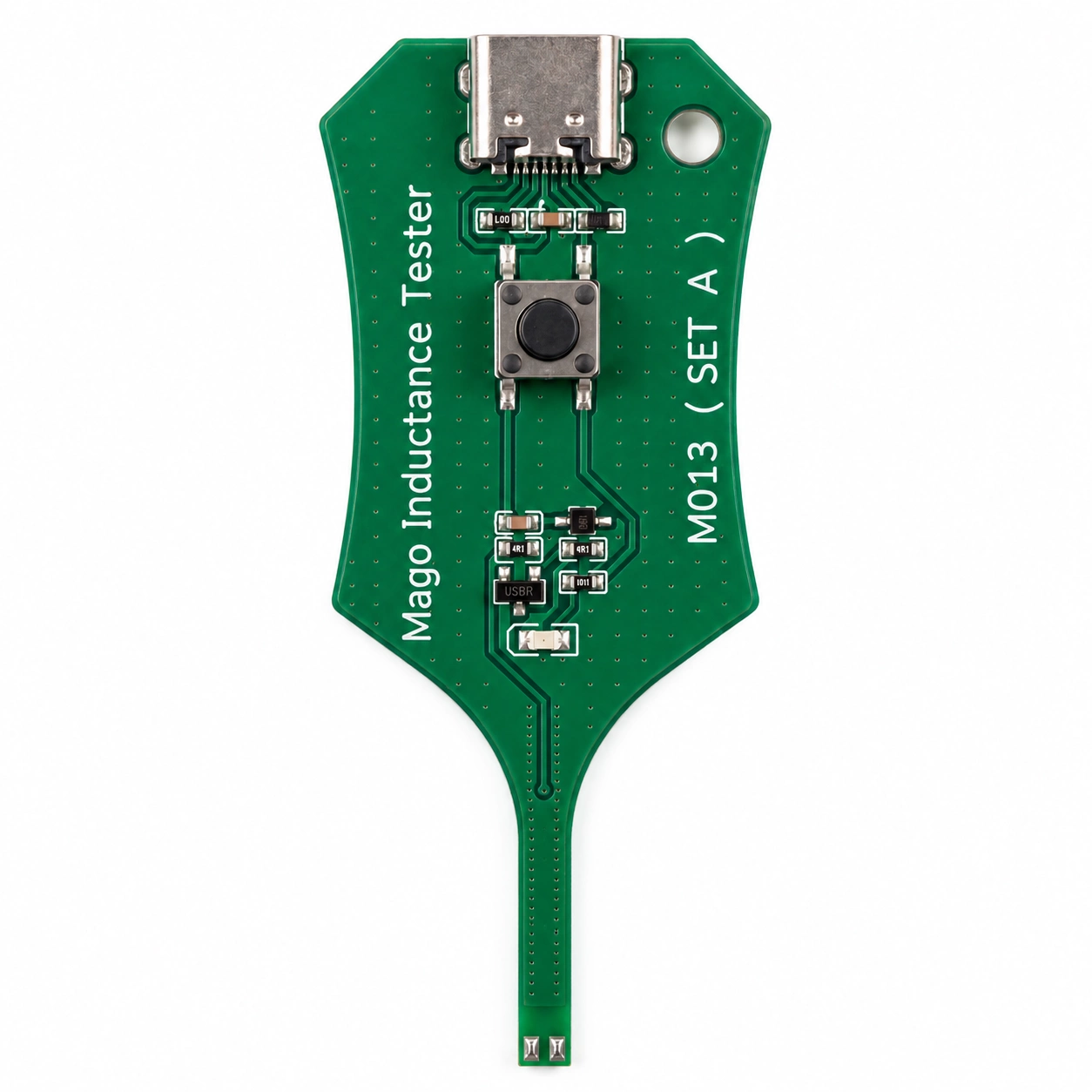
MAGICO Inductance Tester M013 (SET A)
Model: M013 (SET A) — LED Indicator Only
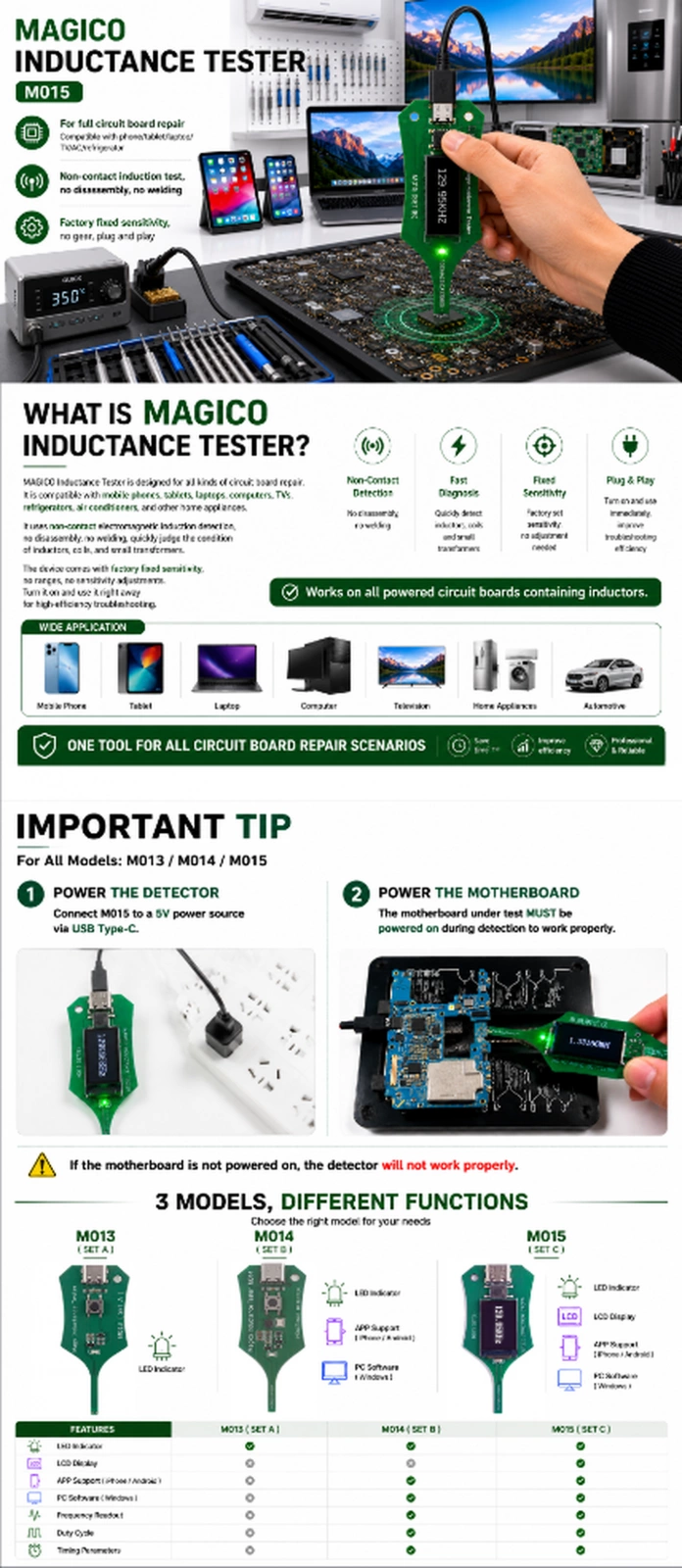
MAGICO Inductance Tester Series — Product Manual (Simplified Version)Three MAGICO Inductance Tester Models
I. Product Overview
The MAGICO Inductance Tester is specially designed for repairing various types of circuit boards. It is compatible not only with mobile phone, tablet, and laptop motherboards, but also with circuit boards used in computers, televisions, refrigerators, air conditioners, and other household appliances.
All models use non-contact electromagnetic induction detection, requiring no component removal or wire soldering. They can quickly determine whether inductors, coils, and small transformers are functioning properly.
All devices feature factory-set fixed sensitivity, with no sensitivity levels and no sensitivity adjustment. They are ready to use immediately after powering on, providing high troubleshooting efficiency.
Important Notice: For all three models, the motherboard under test must be powered on for the tester to operate properly.
The advantage of the M014 and M015 is that detection results can be viewed through an app on a mobile phone or iPad. This allows users to see the electromagnetic frequency values of inductors while powered on, making it easier to determine whether the electromagnetic frequency of the inductor being tested has deteriorated or become inaccurate.
II. Common Features of All Models
Stable performance, high accuracy, simple operation, and no learning curve.
Common Functions
Non-Destructive Testing: Simply bring the probe close to the component for detection without damaging the motherboard or small surface-mounted components.
Intuitive LED Fault Indication: Green LED ON = component normal; LED OFF or weak flashing = open circuit, inter-turn short circuit, or component damage.
Wide Compatibility: Supports inductors, signal coils, and small transformers on various motherboards. Can also perform basic continuity checks on flex cables and connectors.
III. Differences Between the Three Models
All models use 5V USB Type-C power input.
1. M013 (SET A) — LED Indicator Only
Positioning: Cost-effective entry-level model, supporting basic detection functions only. No APP, no PC connection, and no display screen.
Specifications: Fixed-sensitivity electromagnetic induction detection with a green LED indicator. Dimensions approximately 76 × 26 × 10 mm, weight approximately 20 g. Ultra-thin and portable.
Applications: Quick routine troubleshooting of inductors and coils in mobile phones and tablets.
2. M014 (SET B) — LED + APP + PC
Positioning: Upgraded version of the standard model with intelligent connectivity features. No display screen.
Core Functions: Can connect to a mobile phone APP and PC software to visually view detection results, save detection data, and accurately analyze hidden faults, providing greater precision than visual judgment alone.
Applications: Precision motherboard repair requiring data recording and comparative analysis.
3. M015 (SET C) — LED + LCD + APP + PC
Positioning: Top-of-the-line professional model in the series, suitable for repair workshops and experienced technicians.
Core Functions: Equipped with a built-in LCD screen that can independently display detection data locally without connecting to another device. Also supports connection to both mobile phone APP and PC software for data synchronization and precise analysis, with strong anti-interference capability and higher stability.
Applications: High-precision fault detection of precision motherboards across all models, miniature surface-mounted inductors, densely arranged coils, and small transformers. Also suitable for detecting faults in coils, inductors, and transformers on circuit boards used in computers, televisions, refrigerators, air conditioners, and other household appliances.
IV. General Operating Instructions
First, power on the motherboard under test.
Connect the tester to a 5V power supply via Type-C and wait for the device to power on and complete standby initialization.
Press and hold the button, then bring the induction probe close to the inductor, coil, or transformer being tested.
LED ON = component normal; LED OFF = component abnormal or damaged.
V. General Information
All three models feature factory-calibrated fixed sensitivity, with no sensitivity levels or sensitivity adjustment. No calibration or adjustment is required before use.
Testing must be performed while the motherboard is powered on. Proper measurement is not possible when the motherboard is not powered.
VI. General Precautions
This device is designed only for detecting inductive components such as inductors, coils, and transformers. It is not suitable for non-inductive components such as resistors, capacitors, and chips.
Use only a low-voltage USB 5V power supply. High-voltage or poor-quality fast-charging power supplies are prohibited to prevent device damage and incorrect readings.
Keep the probe clean and unobstructed. Dirt and metal debris may affect detection accuracy.
Unauthorized disassembly or modification is prohibited. Damage caused by human factors is not covered by the warranty.
Avoid severe drops, compression, water immersion, and operation in strong magnetic field environments to prevent device malfunction and incorrect detection.
For M014/M015 connections, use a data cable in good condition. Defective cables may cause connection failures or abnormal data.
For the M015 model with a display screen, disconnect the power supply when the device will not be used for an extended period to prolong its service life.